
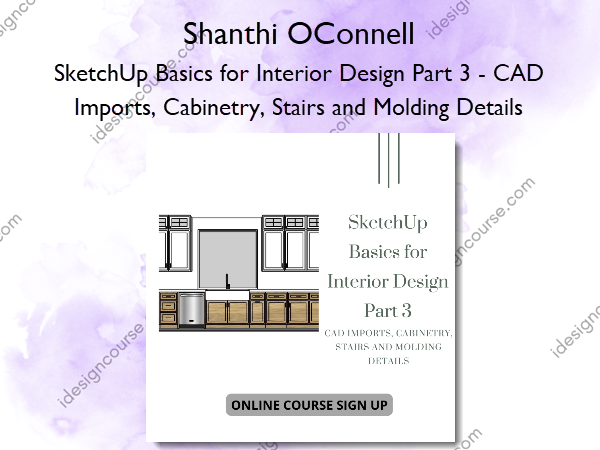
 SketchUp Basics for Interior Design Part 3 – CAD Imports, Cabinetry, Stairs and Molding Details Information
SketchUp Basics for Interior Design Part 3 – CAD Imports, Cabinetry, Stairs and Molding Details by Shanthi OConnell is designed for beginner to intermediate users interested in enhancing their SketchUp Pro skills for interior design.
Beginner to intermediate level course covering my workflow tips and tricks of using SketchUp Pro for interior design/interior designers.
Features:
- Self-paced course
- Series of mini short video tutorials on specific topics
- Assignments with exercise files to practice the topics covered
In this introductory mini-course you will learn the following:
- Efficient Model Organization
- Working with CAD Imports
- Cabinetry and Custom Stairs
- How to model efficiently and speed up your modeling process and more!
Resources Included:
- Links to recommended plugins
- 3d models library list
- 3d texture resources
- Example CAD Plans/Elevations files included with customized assignments/tasks
- PDF Guides on plugins and SketchUp Basics for Beginners, etc.
What You’ll Learn In SketchUp Basics for Interior Design Part 3 – CAD Imports, Cabinetry, Stairs and Molding Details?
Introduction
Welcome to SketchUp Basics for Interior Design- Workflow Tips and Tricks for SketchUp Pro on the Mac. In this course we will cover the basics of sketchup for beginners to intermediate/advanced level tools and plugins for SketchUp. In this course I share my tips and tricks on model organization, efficient workflow techniques and much more! Join me to learn more!
- Intro Final.mp4
How to Add Customized Furniture and Molding Details
Learn how to scale furniture from the 3d warehouse to match specs from furniture companies’ websites and easily customize their material/colors.
Also learn how to use the profile builder plugin to add molding details to custom furniture, baseboards, etc to your model to add that extra level of realism.
Disclaimer- I am affiliated with Mind Sight Studios (the makers of Profile Builder) get a small commission from the sales using my affiliate links in the resources packages listed. However, I genuinely do recommend their products as I always use them and find them very useful!
- 01 Custom Furniture – sampling paint bucket easy colour change technique and scaling furn to size.mp4
- 02 Adding Molding.mp4
- 03 Adding Molding.mp4
- 04 Adding Molding.mp4
- 05 Adding Molding.mp4
- 06 Adding Molding.mp4
- 07 Adding Molding.mp4
Array and divide Line tools
- 01- Divide line and array for custom cabinetry.mp4
- 02 – Custom bookcase bookshelf divide line tool.mp4
- 03 array and divide line tool difference- for landscape designers, architects or interior designers.mp4
- 04 divide line tool chairs around a circular table.mp4
- 05 array tool chairs around a circular table.mp4.mp4
- 06 adding objects from 3d warehouse into circular table and scaling.mp4
- Custom Cabinetry Task
Working with Scenes, Styles and Export Options
- 01 creating scenes standard views.mp4
- 02 styles and updating scenes for client presentations.mp4
- 03 dimension tool and export to jpeg cad.mp4
- 04 jpeg export.mp4
- 05 exporting to autocad.mp4
- Custom House Task- From Scratch
Custom Stairs
- 01 custom staircase.mp4
- 02 custom staircase tutorial 2.mp4
Working with CAD imports
- 01 Working with CAD Imports.mp4
- 02 Working with CAD Imports.mp4
- 03 Working with CAD Imports.mp4
- 04 Working with CAD Imports.mp4
- 05 Working with CAD Imports.mp4
- 06 Working with CAD Imports.mp4
- 07 Working with CAD Imports.mp4
- 08 Working with CAD Imports.mp4
- 09 Working with CAD Imports- Custom Roof.mp4
- 10 Roof by TIG.mp4
- 11 Adding Simple Custom Windows.mp4
- 12 Adding 2D Door Swings.mp4
- AutoCAD Assignment Task #1
- AutoCAD Assignment Task #2
- AutoCAD Assignment Task #3
More courses from the same author: Shanthi OConnell
Related products
»Pre-Order



»Pre-Order