

DJI Osmo Pocket 3 – Brandon Li
Original price was: $97.00.$17.00Current price is: $17.00.
»Instant Delivery
The important tools to support the learning process are:
 DJI Osmo Pocket 3 Information
DJI Osmo Pocket 3 course is designed to help you turn this compact, versatile camera into a powerful tool for cinematic content creation.
TURN YOUR POCKET 3 INTO A CINEMATIC CONTENT MACHINE
INTENTIONS OF THE COURSE
Get setup quickly (with the right settings):
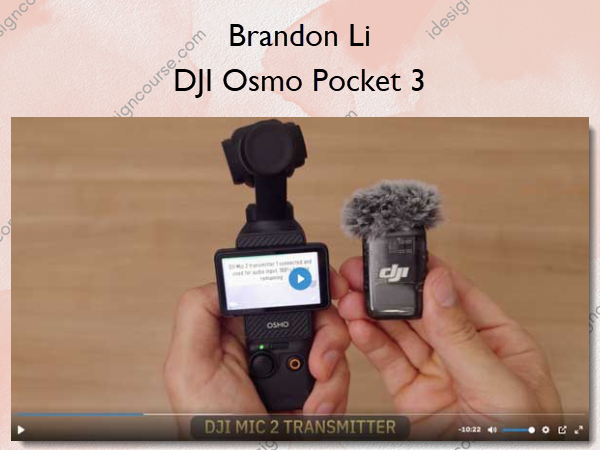
The setup lessons shows you the main features and settings for pro results, all in a simple, easy-to-follow tutorial. DJI Mic 2 TX setup is included.
In 10 minutes you’ll be ready to rock.
Advanced shots made easy:
Get crane and drone-type shots with a lightweight extended selfie stick – while using Active Track to automatically follow a subject.
Film yourself from afar while using the Mimo app to monitor and control. Master using FPV mode and inverted mode. Do a hyperlapse with Active Track (it’s really easy!) Use the wide angle adapter to enhance your shots.
Be ready for any shooting scenario:
Of course, settings are just the beginning. See how Brandon handles the most common shooting scenarios. Filming a selfie in a cafe, walking and talking, getting tripod selfie shots, fluid b-roll moving shots. Daytime and nighttime. Indoors and outdoors.
Simple color grading that looks great:
The DaVinci Resolve grading tutorial shows you Brandon’s remarkably simple technique for making Pocket 3 footage really shine. Learn which LUT to use (and download it for free!), see step-by-step examples of how to grade a wide variety of shots. Download the sample clips and Resolve Timeline (DRT) and try it yourself!
If you don’t use Resolve, these grading techniques will work just as well using common tools in other programs.
What You’ll Learn In DJI Osmo Pocket 3?
Setup & Features Overview
- Pro video and audio settings
- Basics of gimbal operation
- DJI 2 Mic setup and usage
- Vertical and horizontal modes
- Active Track setup
- Accessories like battery handle, wide angle lens
Cafe Vlogging + Basics
- Shooting a simple cinematic vlog in a cafe
- Microphone placement for best audio
- Creative tabletop shots
- An easy transition shot
- Film wide shots of yourself using DJI Mimo App
Walk & Talk Vlogging
- Walking selfie
- Using manual control vs Active Track
- Setting exposure for walking shots
- Creative b-roll shots
- Impromptu portraits of people
- Simple Crane/drone shots with extended selfie stick
- Active Track with extended selfie stick
B-Roll Shooting (POV Style Lesson)
- See through my eyes as I shoot improvised b-roll shots
- Picture-in-Picture view for real-time comparison
- Hyperlapse
- Advanced gimbal moves
- Active Track for b-roll shots
- Vortex spin
- Advanced crane/drone shots with extended selfie stick
- Monitoring with DJI Mimo App
Low Light Shooting
- How to get clean, beautiful shots in low light
- “Blue Hour” shooting and why it’s important
- White balance settings for dusk and night
- Precise exposure with DJI Mimo App
- Avoiding overexposure of lights
- Low Light Mode
- Bonus: Advanced gimbal moves at night
Color Grading Pocket 3 Footage
- Amazingly simple and fast, yet effective color grading
- Various example shots are graded step by step
- Daytime & nighttime shots
- Interior & exterior shots
- Enhancing your grade with power windows
- Sample Pocket 3 clips for color grading. Daytime, nighttime, interior and exterior.
- Davinci Resolve timeline with clips and grading pre-loaded
- Follow along exactly with the color grading tutorial lesson
- Pocket 3 official LUT included
More courses from the same author: Brandon Li
Salepage: DJI Osmo Pocket 3 – Brandon Li
Related products
Graphic Design
Graphic Design

Web Design
The Power & Psychology of UI Grids and Layouts for Websites and Mobile apps – Alexunder Hess
»Instant Delivery
»Instant Delivery
Making Design Decisions: How to design effective user interfaces at warp-speed – Tommy Geoco