


 Blender & After Effects Course Information
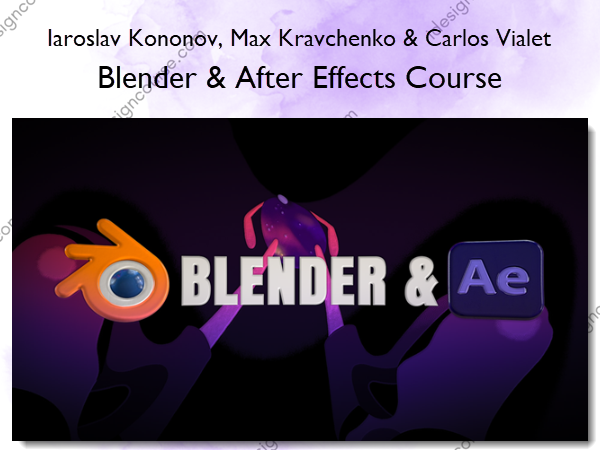
Blender & After Effects Course by Iaroslav Kononov, Max Kravchenko, and Carlos Vialet is designed to help users seamlessly integrate native 3D into After Effects by combining Blender and After Effects for an efficient workflow.
Maximize creative potential by seamlessly integrating native 3D into After Effects, combining Blender and AE for a streamlined workflow.
Required Software
Blender, After Effects (Beta)
What is this Blender & AE course about?
After Effects has finally embraced 3D capabilities, and we’re excited to offer you a new and immersive experience. In this course, we’ll dive into the complete pipeline of creating promotional videos, as introduced in our promo.
Previously, this workflow required integration with Cinema 4D Light, which had limitations. However, now, After Effects natively supports 3D. What does this mean for you? It signifies that you’re stepping into the endless possibilities. Be sure to watch our promotional video to gain a comprehensive understanding of what the latest After Effects update offers. 3D model import, Image-Based Lighting, Advanced 3D Renderer, 2D/3D Interoperability, Animated lights and cameras.
We’re dedicated to bringing something truly exceptional to the market, and we’re here to walk you through the process of seamlessly combining Blender 3D and After Effects. Throughout this course, you’ll acquire the 3D knowledge in Blender necessary to craft extraordinary scenes in your beloved software, After Effects.
Here’s what you’ll learn
LESSON #1: Blender Basics and Import to AE
Learn the fundamental aspects of the Blender interface essential for establishing a smooth connection between Blender and After Effects. We will also cover how to prepare your model for importing it into After Effects.
LESSON #2: 3D Shapes Modeling
We will explore modeling, shading, texturing and lighting in Blender, emphasizing the fundamental principles necessary for a successful import into After Effects.
LESSON #3: Hand Modeling
Discover the art of modeling more complex objects, such as hands. Delve into the intricacies of topology and polygonal modeling techniques.
LESSON #4: Character Modeling
Put all your knowledge into practice and apply it to the entire character creation process in Blender, preparing it for use in After Effects.
LESSON #5: Hand Animation
It’s time to dive into After Effects, import our 3D models, and begin animating them. Gain a grasp of the fundamental principles for working with 3D in After Effects.
LESSON #6: 3D Shapes Transitions
Get ready to craft some excellent transitions using 3D techniques. We’re about to tackle the first segment of the promotional video animation.
LESSON #7: 3D Shapes Morphing Animation
The most intriguing and exhilarating part of your animation journey awaits you in this exceptional lesson on shape morphing, but this time in the exciting domain of 3D space.
LESSON #8: Advance Techniques
Let’s create an advanced scene featuring a multitude of 3D shapes and discover the techniques for working with 3D lighting to achieve a striking and explosive visual impact.
LESSON #9: 3D Character Animation
Of course, incorporating a new 3D dimension into character animation is essential, and we’re here to guide you through making it achievable in this thrilling lesson.
About Author
 Iaroslav Kononov
The proud founder of Motion Design School. With over 15 years of experience as a 2D/3D animation artist and a broad skill set encompassing software like Adobe Animate, After Effects, Blender, Cinema4D, and more…
In this course, I am honored to guide you on a transformative journey toward unlocking your creative potential.
 Max Kravchenko
Working in Motion Design School since it was founded and have ten years of experience in 2D and 3D animation. Created more than hundreds of tips and tricks #motiontricks in Motion Design School’s Instagram account
In this course, I will take you on a mind-blowing journey as we unlock your creative potential through animation mastery.
 Carlos Vialet
Greetings, fellow 3D enthusiasts! I am a 3D artist and generalist with over ten years of experience in software such as Blender. I am well-versed in the art of creating stunning visuals and bringing ideas to life with this versatile software.
In this course, I will impart all the knowledge you need to become a skilled and accomplished Blender specialist!
More courses from the same author: Iaroslav Kononov, Max Kravchenko & Carlos Vialet (Motion Design School)
Salepage: Blender & After Effects Course – Iaroslav Kononov, Max Kravchenko & Carlos Vialet
Related products
»Pre-Order
»Pre-Order
»Pre-Order


»Pre-Order