


 Hyperlapse Course Information
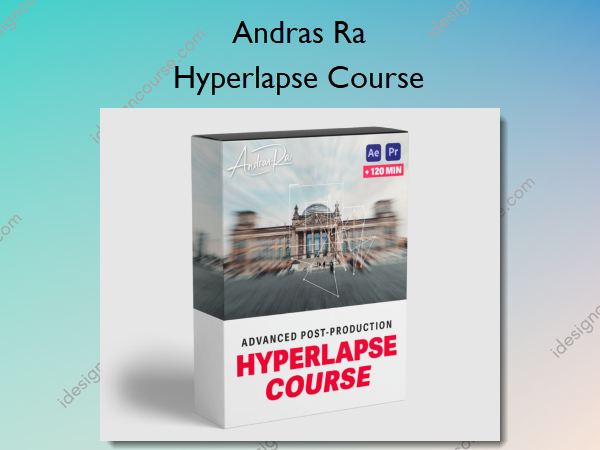
Hyperlapse Course is a comprehensive program designed to teach content creators how to shoot and edit cinematic hyperlapses effectively.
LEARN TO SHOOT AND EDIT CINEMATIC HYPERLAPSES
This simple 5-step workflow is for any content creator who wants to produce smooth & stabilized Hyperlapses that stand out & raise your production value without wasting weeks trying to figure it out all on your own.
WHAT’S INSIDE THE ULTIMATE HYPERLAPSE COURSE?
In this program, you will learn the essential secrets to creating your own stunning one-of-a-kind Hyperlapses.
I dive deep into advanced editing techniques and show you my specific workflow I use to create high-quality Hyperlapses as efficiently as possible.
This course has it’s focus on my entire post-production workflow. You will learn step by step from complete scratch from Importing, to stabilizing a Hyperlapse completely without the warp stabilizer, and finally animating.
I will also guide you through difficult editing problems and am always available to answer any of your questions via email.
Plus, I give you a lot of tips and tricks to make your Hyperlapse stand out! By the end of this course, you will take your videos to the next level and raise the production value of your work.
What You’ll Learn In Hyperlapse Course?
Module 01 – Equipment & Shooting
- Introduction (1:43)
- Shooting, Settings, Equipment (08:59)
Module 02 – Photo Hyperlapse (After Effects)
- File Organization in After Effects (04:32)
- Importing & Preparing the Photo Hyperlapse (07:01)
- Tracking the Position & Rotation (10:34)
- Fix Black Borders & Motion Blur (09:03)
- BONUS: Faster Way of Stabilizing (10:04)
Module 03- Video Hyperlapse (After Effects)
- Stabilizing a Video Hyperlapse (12:00)
Module 04 – Challenges & Problems (After Effects)
- Challenge 1: Tilting Hyperlapse (03:40)
- Challenge 2: Tracker is being blocked (18:03)
- Challenge 3: Cleaning Up Dust & Dirt Spots from Sensor (07:27)
- Challenge 4: Problems with Motion Blur (03:25)
Module 05 – Conclusion so far
- Conclusion so far (1:15)
Module 06 – Editing and Animating (Premiere Pro)
- Premiere Pro Editing & Animating Part 2 (08:14)
- Premiere Pro Color & Export (04:11)
- Setting up Premiere Pro (04:46)
- Premiere Pro Editing & Animating Part 1 (09:17)
Module 07 – Final Words
- Final Words (00:51)
More courses from the same author: Andras Ra
Salepage: Hyperlapse Course – Andras Ra
Related products



»Pre-Order