


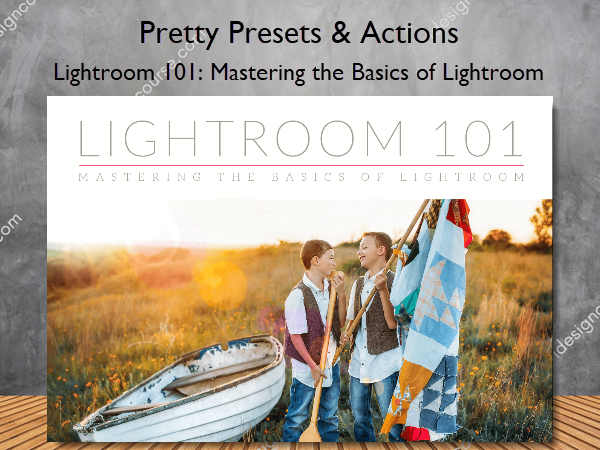
 Lightroom 101: Mastering the Basics of Lightroom Information
Lightroom 101: Mastering the Basics of Lightroom by Pretty Presets & Actions is a comprehensive course designed to help photographers, both hobbyist and professional, become comfortable with the basics of Lightroom.
Ready to Fall In Love with Lightroom?
We are thrilled you’re here and excited to share all the secrets of Lightroom with you. Lightroom is the most popular photo editing program developed to help both hobbyist and professional photographers edit their images quickly and effectively as well as manage a growing collection of photos.
Our comprehensive 4-week Lightroom 101 workshop is designed to help you become comfortable with the basics of Lightroom, so you can confidently edit and manage your images on your own. Topics are broken down into easily manageable segments for an ideal learning experience and the materials are available to you at whatever pace you are most comfortable with!
Have you ever thought to yourself…
- I feel limited and want to expand my knowledge of Lightroom
- I want to use Lightroom more efficiently and know all the tools that will make my job easier
- I want to speed up my editing and save time
- I want to pursue photography full-time, but know I need to understand Lightroom better in order to offer irresistible photos to my clients.
- I’m ready to take my editing to a whole new level.
What You’ll Learn In Lightroom 101: Mastering the Basics of Lightroom?
WEEK 1: MASTER THE LIBRARY IN LIGHTROOM
The focus for the first week is all about getting your images into Lightroom via Import and how to use tools like keywords and collections to help you manage your catalog (all your images in Lightroom), both to simplify editing but also so that you can quickly find those same images again a year or two from now. It’s no secret that Lightroom is a powerhouse tool when it comes to editing–and we’re so excited to show you the ropes!
Working with the Library Module in Lightroom
- Workspace Overview in Lightroom
- Importing and culling images in Lightroom
- Using Keywords and Collections
WEEK 2: EDITING IN THE DEVELOP MODULE
During the second week, you will get a brief but concise overview of what the main panels on the right side of the Develop module does and how to use them to edit your photos. We cover how to make basic but essential tweaks to your images with the Basic panel, add contrast with Tone/Curve, alter color tones with Color Grading and HSL, and add sharpening and reduce noise with the Detail panel.
Editing in Lightroom
- Finding your Develop Module and using the right-hand side of Lightroom
- Correcting exposure, adding contrast, and working with tone curves.
- Sharpening and reducing noise.
- Altering Color Tones with Color Grading and HSL
WEEK 3: USING BRUSHES, GRADUATED FILTERS, CLONE TOOL, AND CROPPING FOR PRINT.
This week is about making changes to your images, meaning tweaks that only affect a specific area of your images. You learn about using adjustment brushes or graduated/radial filters for targeted areas, like sharpening eyes, whitening teeth, brightening one side of the image, etc. We also show you how to remove blemishes or hide distracting objects with the handy clone/heal tool. Lastly, we demystify the crop tool to change the perspective of your image or create specific image ratios for printing.
Editing with Local Adjustments in Lightroom
- Introduction to brushes and graduated filters
- Learn how to sharpen eyes, whiten teeth, and more with brushes
- Removing blemishes with brushes
- Hide distracting objects with clone/heal tool
- Demystify the crop tool
- Exporting your images with specific image ratios for print
WEEK 4: EDITING WITH PRESETS, BRUSHES, AND GRADUATED FILTERS
At this point, you will hopefully feel more comfortable with editing, so this week focuses on some time-saving tools like making snapshots, creating virtual copies for multiple versions of the same image, and syncing edits across multiple images. The editing process culminates in the export stage when the changes you’ve made are applied, and the new image file is created.
Editing with Lightroom Presets, Virtual Copies, Snapshots, Syncing, and more!
- Editing with Lightroom Presets
- Editing with Lightroom Presets and Brushes
- Creating Snapshots and Virtual Copies
- Syncing edits across multiple images
- Exporting your images in Lightroom
More courses from the same author: Pretty Presets & Actions
Salepage: Lightroom 101: Mastering the Basics of Lightroom – Pretty Presets & Actions
Related products
»Pre-Order





»Pre-Order
»Pre-Order