

 Line Art Portraits – Adobe Illustrator and Procreate for iPad Information
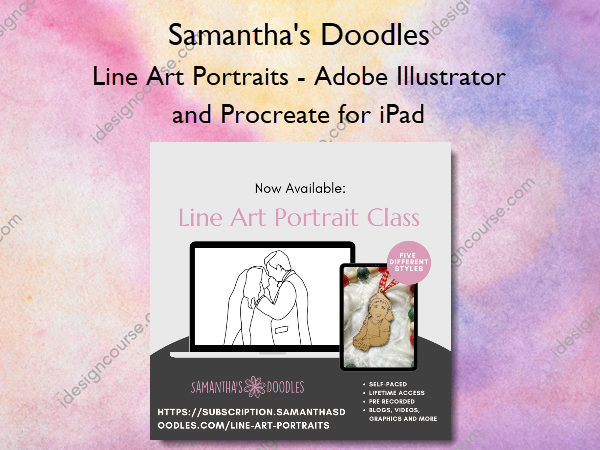
Line Art Portraits – Adobe Illustrator and Procreate for iPad is a comprehensive guide to creating detailed and versatile line art portraits.
Hi friends! In this course, we’re going over how to make line art portraits. These have taken the laser world by storm lately, and we’ll cover a variety of different approaches and techniques, including creating engraving files, scoring designs, and even cut files for those faceless portraits.
These concepts can be applied to other projects as well, including tracing houses and drawing your own original designs!
What You’ll Learn In Line Art Portraits – Adobe Illustrator and Procreate for iPad?
Raster Engraving Files vs. Single Line Vector Files
Knowing the difference allows you to determine what style of portrait works best for your business!
- Raster vs. Vector Images
- Procreate vs. Adobe Illustrator
- Line Art Portraits – Same Photo, Two Approaches!
Choosing Your Reference Image
Choosing your reference image for your line art portraits is SO important! Be sure to include a brief summary of what you need for your clients, and consider asking them to send a few options so you can determine the best one!
- Setting Yourself Up For Success with Reference Photos
A Lesson in Value – Knowing Your Shades!
- What is value and why does it matter in line art?
- Video: Why Recognizing Value Shifts Matters – Using My Own Face!
- The Value Spectrum – and Real World Examples!
- Video: Turning Your Reference Photo to Black & White in Procreate
Things to Look for When Drawing Your Line Art Portraits
Let’s talk about some things to keep in mind while you are drawing.
- Video: Things to Look for When Doing Your Line Art Portraits
- My Practical Application of These Questions
- Challenge: Pick an Image and Answer these Questions!
Procreate – Creating Line Art Portraits for Engraving
- Video: Creating Your Procreate Canvas and Choosing a Brush
- Video: Adding a Reference Photo, Naming Your Layers, and Changing the Opacity
- Video: Drawing Tips – All About the Procreate Techniques
- Video: Eyes and Eyebrows!
- Video: DRAWING THE ACTUAL PORTRAIT!
Selective Editing and Adding Embellishments
For me, this is the most fun part of creating these portraits!! This can be done in either program, but for the ease of recording I went ahead and did it in Procreate since that is what I’m more comfortable using.
- Video: Selective Editing and Adding Embellishments
Vectoring in Inkscape
- Inkscape & Vectoring
- You Can Engrave a Raster Image!
Adobe Illustrator – Creating Single Line Portraits for Scoring
- Video: Illustrator Set Up And Basics
- Video: Turn On Palm Rejection
- Video: Drawing and Adjusting Anchor Points
- Video: DRAWING THE ACTUAL PORTRAIT!
- Video: Making Your Image a Compound Path and Creating an Offset Cut Line
- Video: Why I Don’t Like Centerline Trace | Adding a Cut Line to the Engrave
Here’s a Side By Side Comparison of the Drawings!
- Comparing All 4 Max Line Art Portraits
- Here are the ornaments!
Bonus: Converting Your Scoring Files into Cut Files for 3D Faceless Portraits!
- Video: Turning Your Score File Into A Faceless Portrait Cut File
- Here’s an example!
- Video: Using Glue to Make Assembly Easier
Business Tips: Sourcing Images Legally and Ethically
- Finding Reference Photos, Incorporating Tracing, and Maintaining Artistic Integrity
- The Holy Grail for Reference Photos: Unsplash
- Why would I even need a reference image outside of tracing?
Bonus: Creating Line Art Portraits with Outlines Meant to Cut Out
For this style of project, the brush you will use has a consistent line weight (monoline is my personal go to) and you can cut out the outline and layer it on your project. You can also use the negative space pieces to paint and piece back together if desired! It all depends on the look you are going for with your project.
- Bonus Video: Creating Line Art Portraits to Cut Out
- Video: Creating a First Dance Piece with the Outline Technique
- Final Result – Outline Piece
More courses from the same author: Samantha’s Doodles
Salepage: Line Art Portraits – Adobe Illustrator and Procreate for iPad – Samantha’s Doodles
Related products

»Pre-Order
»Pre-Order

»Pre-Order