


 Photoshop 101: Mastering the Basics of Photoshop Information
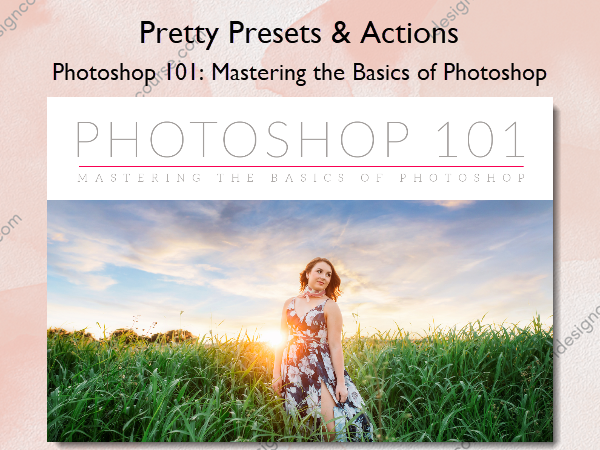
Photoshop 101: Mastering the Basics of Photoshop by Pretty Presets & Actions is a course designed to help photographers and photo editors unlock the full potential of Adobe Photoshop.
Ready to Fall in Love with Photoshop?
Photoshop is a powerful tool with almost endless possibilities! But many are overwhelmed by all that it offers and find it much easier to look for other options when editing and manipulating photos. The good news is that with a little help and instruction there is no need to be intimidated.
This comprehensive 4-week Workshop will teach you how to utilize Photoshop’s incredible power to complete your photographic vision!
Have you ever thought to yourself…
- I feel limited by Lightroom and want to add more to my images in Photoshop.
- I want to use Photoshop more efficiently!
- I’m pretty proficient in Lightroom, but Photoshop feels like a foreign language. I want to be proficient in both!
- I’ve been doing all my editing in Lightroom, and am ready to take the leap into Photoshop, and a whole new world of possibilities.
- I want to pursue photography full-time, but know I need to understand Photoshop better in order to offer irresistible photos to my clients.
- I’m ready to take my editing to a whole new level.
Can you relate? What if you could use Photoshop and expand your capabilities in the next 30 days? Imagine all you could offer your clients and how that might effect your client sales, satisfaction and referrals. We want to help you get the ball rolling so that 2020 is your best year yet! Use this time during COVID-19 to build your business into something more than you thought possible.
What You’ll Learn In Photoshop 101: Mastering the Basics of Photoshop?
WEEK 1: ORGANIZING & SETTING UP YOUR WORKSPACE
It’s no secret that Photoshop is a powerhouse tool when it comes to editing–and we’re sooo excited to show you the ropes! However, did you know that you can set up your workspace so it’s customized to your needs and preferences for a faster and more efficient workflow? I cannot stress how important it is to have your workspace set up and customized to you before you start working in Photoshop. Our first lesson will save you time, stress, and money, oh yes!
Setting up your Workspace & using Adjustment Layers
- Locating, placing panels and saving your workspace
- Choosing a screen mode
- Installing Actions + Locating the Actions Panel
- Using Adjustment Layers and the Layers Panel
WEEK 2: EDITING WITH PHOTOSHOP ACTIONS & WORKING WITH CURVES AND LEVELS
Get ready because if you thought all the Curves and Levels tools were good for was to create contrast, you were wrong! There are countless ways to use both of these tools to create both clean and creative adjustments in Photoshop, they truly are powerhouse tools that are indispensable to any photographer.
Editing with Photoshop Actions & Using Curves and Levels
- Finding your actions panel & keeping your actions organized
- Correcting exposure, adding contrast & fixing shadows and highlights
- Making color corrections
- Adding haze, matte & creative color enhancements
WEEK 3: HUE/SAT PANEL, LAYER MASKING + WORKING WITH OVERLAYS
This week, we will be diving into adjustment layers to learn more about how to selectively apply your adjustment to an image. When working in Photoshop, knowing how to fully work with adjustment layers is key to a successful, efficient edit and workflow. We will also be learning about the power of the Hue/Saturation adjustment tool! There is definitely much more to this tool than just increasing overall saturation and we will be going over all of the juicy details during this third week together.
Using the Hue/Saturation Tools and Editing with Overlays
- Vibrance vs. Hue/Saturation and an in depth look at Hue/Sat Panel
- Selective color adjustments Layer Masking
- Selectively applying adjustments
- When & Why to use overlays
- Locating and applying overlays
- Masking and blending overlays
WEEK 4: HEAD SWAPS, USING THE CROP TOOL & HISTORY PANEL
By week four, everyone should have a pretty good idea of how to apply adjustments in Photoshop, so we’ll get to jump into some more technical tools. We’ll be covering how to complete a head-swap with confidence, how to use the crop tool to it’s fullest and how to use the History Panel. This will definitely be a a full week for you, but also so rewarding and fun as we unlock more Photoshop tools. In our fourth and final week’s lesson you will learn:
Composites and Using the Crop Tool + Utilizing the History Panel and Taking Snapshots
- Learn how to complete a head swap
- Crop tool basics
- How to use the crop tool and keep original proportion
- Creating crop presets for print and other sizes
- Using the History Panel to access different states of your edit
- Taking Snapshots to save your edit state
More courses from the same author: Pretty Presets & Actions
Salepage: Photoshop 101: Mastering the Basics of Photoshop – Pretty Presets & Actions
Related products
»Pre-Order

»Pre-Order