

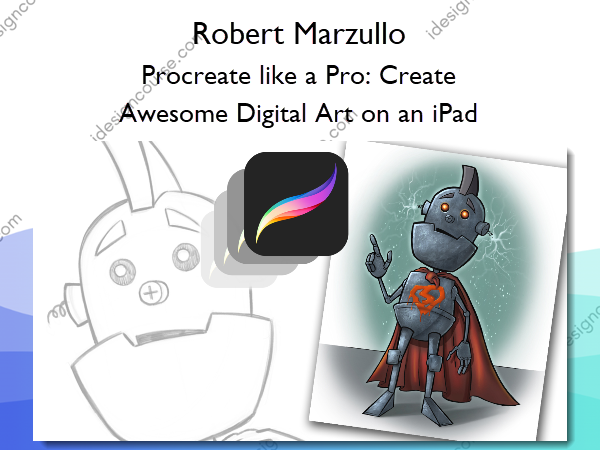
 Procreate like a Pro: Create Awesome Digital Art on an iPad Information
Procreate like a Pro: Create Awesome Digital Art on an iPad by Robert Marzullo is an in-depth online course designed to teach you how to use the Procreate app on your iPad to create professional-quality artwork.
Learn how to use this amazing app and an iPad to create professional looking artwork.
In this course you will learn about the Procreate app and iPad in two fundamental ways. You will watch me explain the interface while demonstrating the hand gestures that are used to complete various tasks. You will learn how to import and export images, flip the canvas, share the work in various formats, export video, setup the perspective tools, and adjust the interface to your preference.
In the next section I will take you through a complete illustration from start to finish. This will allow you to see and work through the process of creating the illustration and commit it to memory. You will learn about the brushes, layers, blending modes, lock transparency, selection tools, color adjustments, and general tips and tricks on painting various effects with texture.
By the end of this course you will have created a fun and informative art project. I would love to see what come up with and I would be happy to give you any feedback I can. Just share the work in the Q+A Section when you are done!
What You’ll Learn In Procreate like a Pro: Create Awesome Digital Art on an iPad?
Introduction to this Course
- Introduction Video
Basic Understanding of the Setup
- Understanding the Device
- Adjusting the Stylus
- Using Advanced Gesture Controls
- Importing an Image File
- Using the Perspective Tool
- Exporting Image Files
- Exporting a Time Lapsed Video
- Understanding the Preferences Tab
- Using the Adjustments Tab
- Using the Selection Tools
- Using the Gallery
- Introduction to the Brushes
Creating a Character Design – Start to Finish
- Getting Ready to Draw Our Character
- Drawing Our Robot Character
- Tips on Inking in Procreate
- Inking Our Character Concept
- Using Reference Layers to Apply Color Fills
- Applying Shadows and Highlights Using Blending Modes
- Using the Freehand Selection Tool to Edit the Work
- Painting the Cape and Adding More EffectsEffects
- Adding More Texture and Depth to Our Character
- Adding Hard Edge Shadows
- Adding the Finishing Touches
Creating Custom Brushes in Procreate
- Creating Our Brush Tip
- Modifying and Saving the Brush Settings
- Refining Our Brush Settings
- Practice Activity – Our New Hair and Fur Brush in Action
- Importing and Exporting Custom Brushes
Procreate 4.2 Update
- Stroke Taper Feature – Part 1
- Stroke Taper Feature – Part 2
Masking Features in Procreate
- Alpha Lock or Lock Transparency Feature
- Layer Mask Feature in Procreate
- Clipping Mask Feature in Procreate
Q+A Section
- Primary and Secondary Layers
More courses from the same author: Robert Marzullo
Salepage: Procreate like a Pro: Create Awesome Digital Art on an iPad – Robert Marzullo
Related products

»Pre-Order

»Pre-Order

»Pre-Order