

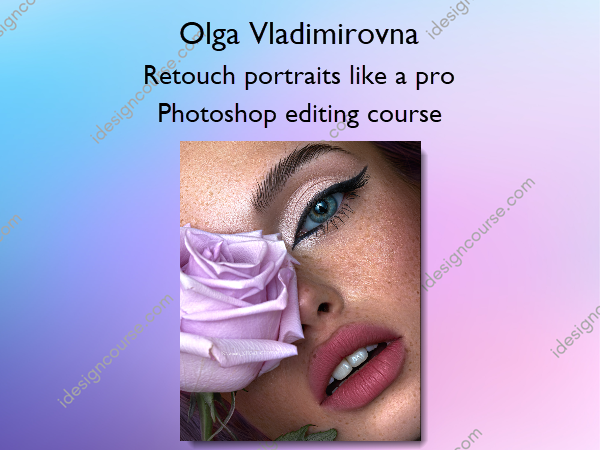
 Retouch portraits like a pro – Photoshop editing course Information
Retouch Portraits Like a Pro is a course aims to elevate your editing and retouching skills to a professional level, focusing specifically on beauty portraits.
Take your editing/retouching skills to the next level!
This is a 9 Chapter Tutorial/Course which covers the following areas
What You’ll Learn In Retouch portraits like a pro – Photoshop editing course?
1 Module – raw file preparation
In this module you will learn what a good retouching for a beauty portrait actually means and see some good and bad examples of retouching. After the theoretical part we will directly go to Photoshop and learn how to prepare our raw file for editing.
- RAW files – images for practice
- 1. What is a good retouching result?
- RAW file preparation using Camera Raw and restoring image symmetry
- How to work with lesson notebook and to submit homework
- Course notes beauty 2.0 by MelanCholiaPhotography.pdf
2 Module – raw file analysis and texture
In this module we will talk about the texture of the skin and which actions are required in order not to loose the texture.
- How to create amazing skin texture?
- Let’s analyse the raw files first!
3 Module – fast skin retouching with Frequency Separation
In this module you will learn how to use frequency separation correctly to retain skin texture. This method allows to retouch skin quite fast without loosing too much texture.
This technique is perfect if you want to get first amazing results quite fast. But if you want to bring out the most of the skin texture you definitely need to go to the next module and learn the method dodge and burn.
- Skin retouching with a fast method (frequency separation done correctly).
- How to use frequency separation if contrasts are high
4 Module – high end skin retouching with dodge and burn.
There are many videos and tutorials about this method on the web. For me, it was always difficult to speed up dodge and burn in order to save time. Before I discovered my small life hack in dodge and burn it took me about 2-4 hours to retouch skin with dodge and burn. With my life hack you can speed up the time for skin retouching to 20-40 minutes!
- Skin retouching retaining most of the texture using dodge and burn
- Dodging and burning on a high contrast image
5 Module
- Speed up skin retouching while retaining the texture using a combination of DB and FS
6 Module – digital makeup
Here you will learn how to create amazingly looking lips, brows, eyeliner and eye shadows.
- Learn to retouch makeup and create digital makeup
7 Module – texture and contrasts
- How to bring out the skin texture even more using my personal method
- Working with contrasts and texture on the image with high contrasts
8 Module – crop and export without loosing quality and texture
- How to crop and export your image for social media without loosing quality and sharpness
9 Module – retouching from start to the end on another image
- Full retouching process from the start to the end on another (3rd image)
More courses from the same author: Olga Vladimirovna
Related products
»Pre-Order
»Pre-Order


»Pre-Order


»Pre-Order