

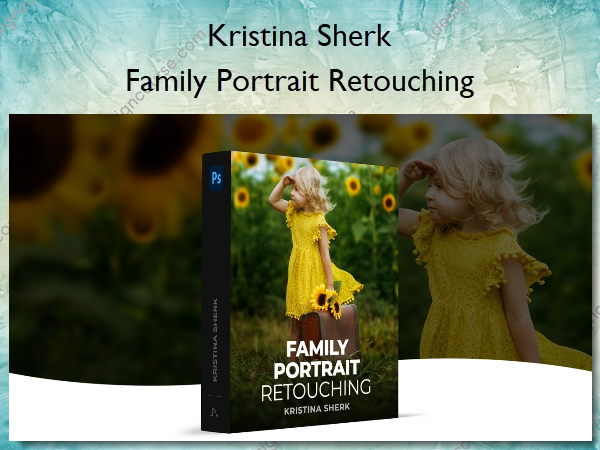
 Family Portrait Retouching Information
Learn how to use Photoshop to elevate your photos that people will cherish for a lifetime.
Making your work look different than every other photographer is paramount to running a successful photography business. In this class, I am going to share with you my techniques for elevating an everyday portrait into a mantle-worthy work of art that any family would cherish for decades to come.
What You’ll Learn In Family Portrait Retouching?
Introduction
An overview of all the concepts we go through in this course and the change of attitude you must have to succeed as a family photographer.
Identifying and Removing Distracting Elements
The first in creating an image which dazzles is eliminating all the elements in the image that distract from the shot and I’ll teach you my techniques for doing this.
Blurring out the Background
In this lesson I will show you how to use Photoshop to easily isolate backgrounds and then make your foreground pop out for a more dramatic image.
Adding Sun Flares and Light Leaks
I love adding sun flares to bring drama and warmth to images and in this lesson I’ll show one of my favorite techniques for doing this.
Adding Foreground Elements
Photoshop makes it extremely easy to create or add foreground elements for a more powerful composition and here I show you step by step how to do this.
Replacing Colors in Your Image
In this lesson, I show you my techniques for replacing colors in the image which you can use in a variety of scenarios to make a more unified scene.
Adding the Finishing Touches
In this lesson I will teach you how to use contrast, toning and darkness in the image to guide the viewer’s eye to the most important part of the frame.
Adding Lights to your Image
Adding light elements is a great way to put a beautiful sparkle element into your image and in this lesson I will show you how to do this and then blend them in.
Conclusion
A final lesson and assignment on what you must change in your mental approach to photography to succeed in this business.
More courses from the same author: Kristina Sherk
Salepage: Family Portrait Retouching – Shark Pixel – Kristina Sherk
Related products


»Pre-Order

»Pre-Order
»Pre-Order

»Pre-Order