
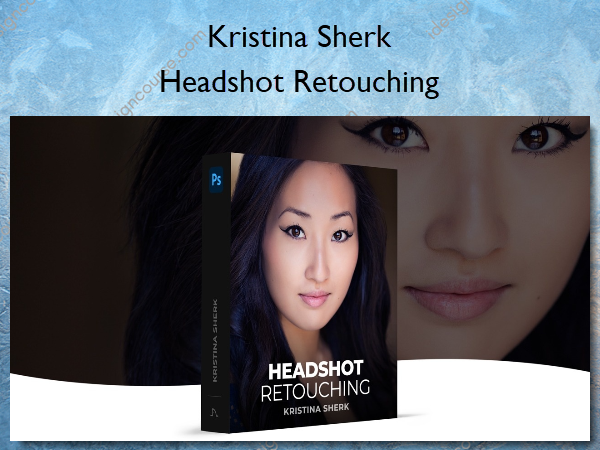
 Headshot Retouching Information
Learn how to retouch headshots to achieve stunning, natural-looking results.
As a headshot photographer, it’s your job to create the most accurate representation of your client in their headshot, while simultaneously putting them in the best light possible. In this class, I cover all the do’s and don’ts of headshot retouching and show you how to smooth skin realistically, remove stray hairs, add color grading to the shot and so much more.
What You’ll Learn In Headshot Retouching?
Introduction
In this introduction, I discuss with you why this course focuses on these specific aspects of headshots and why they are so important.
Cleaning up Blemishes and Stray Hairs
Removing all the distracting elements from your subject’s natural beauty always helps the image and in this lesson, I’ll show you my techniques for doing this.
Getting Great Looking Skin with Frequency Separation
In this lesson, we go through step by step how to get perfect-looking skin for a headshot.
Using Dodge and Burn for Skin Retouching
Dodge and Burn is just as important as Frequency Separation in getting great-looking skin and here I show you step by step my techniques for doing this.
Adding Background
Adding a nice background is a great way to give your headshot more punch and dimension and the new Photoshop tools make this incredibly easy.
Retouching Your Subject’s Eyes
In this lesson, I show you my techniques for creating dramatic eyes that create an instant connection with the subject and the viewer.
Adding the Finishing Touches
Here we discuss how to focus instantly on the parts of the image our eyes are attracted to and then I show you my techniques to make the face the focal point.
Conclusion
A concluding discussion about the key things you must have in your arsenal to be able to have repeat clients who love your work.
More courses from the same author: Kristina Sherk
Salepage: Headshot Retouching – Shark Pixel – Kristina Sherk
Related products

»Pre-Order

Graphic Design
»Pre-Order