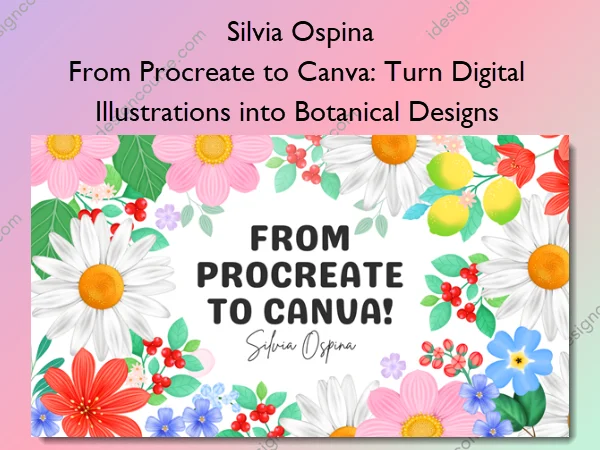
From Procreate to Canva: Turn Digital Illustrations into Botanical Designs – Silvia Ospina
Learn how to paint beautiful digital botanicals in Procreate and transform them into professional layouts using Canva.
This class helps you bridge the gap between art and design — giving you the skills to paint, arrange, and showcase your artwork with confidence.
Perfect for creatives who already know the basics of Procreate and want to take their illustrations further — from canvas to finished design.
Struggling to Give Your Illustrations a Purpose?
You’ve learned how to draw in Procreate, but when it comes to creating finished pieces — something feels off.
Maybe you:
- Have beautiful illustrations but don’t know how to turn them into polished, cohesive designs.
- Feel unsure about composition, exporting, or how to make your artwork “work together.”
- Keep your illustrations stuck on your iPad, instead of seeing them come to life as prints, patterns, or digital designs.
You don’t need more random tutorials — you need a clear, guided path that helps you connect your artistic process with real design applications!!!
What You’ll Learn In From Procreate to Canva: Turn Digital Illustrations into Botanical Designs
- Paint a cohesive botanical collection using Procreate’s brushes, color, and layering tools — mastering volume, detail, and composition.
- Use Procreate’s transforming tools to refine and elevate your illustrations, creating dynamic arrangements with ease.
- Bring your artwork into Canva and design beautiful layouts, cards, posters, and planners.
- Build your own image library of reusable illustrations you can adapt into new designs — or even use later to create seamless patterns in my Patterns in Procreate class.
More courses from the same author: Silvia Ospina
Sale Page: From Procreate to Canva: Turn Digital Illustrations into Botanical Designs – Silvia Ospina
Related products

»Pre-Order

»Pre-Order
»Pre-Order