
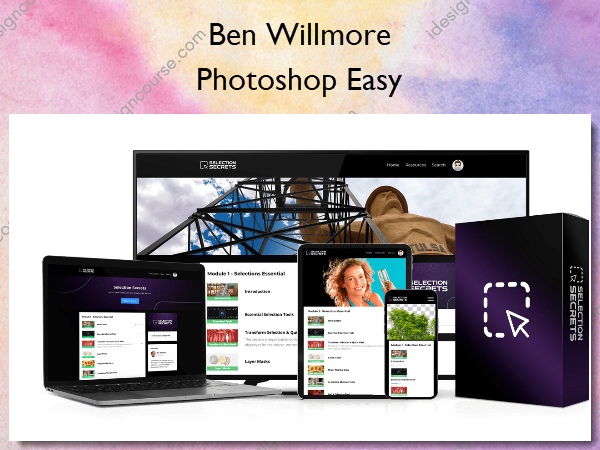
 Photoshop Easy Information
Learn to Master the Selections in Photoshop!
Make impossible selections, possible 👈 Selection is one of the most important skills that you can master in Photoshop. With this training path, you will be provided with all the complete processes that will guide you in an easy and step-by-step way to master the art of selections in Photoshop!
Many users of Photoshop face challenges with selection tools, leading to frustration, especially when it comes to cutting out an image, which can result in missing hair pieces, unclean edges, and a sense of spending too much time trying to achieve the desired result. Selecting the appropriate technique for each of the numerous selection tools available in Photoshop is key to overcoming these challenges.
Are you tired of endless tutorials and video walks-through that just don’t seem to work for your projects? Do you find yourself struggling with precise selections, even for the simplest of images? It’s time to say goodbye to frustration and hello to expert selections in Photoshop.
YouTube tutorials may show you how to make selections, but they don’t always provide a complete understanding of the principles behind the process. To truly master selections in Photoshop, it’s essential to understand the techniques and techniques behind the tools. This will give you the confidence to create precise selections for any composition and make necessary adjustments along the way.
With a deep understanding of the underlying principles and techniques, anyone can become an expert at selections in Photoshop.
What You’ll Learn In Photoshop Easy?
- All tricks and strategies for cutting out anything directly from Photoshop guru Ben Willmore.
- How to select challenging elements such as hair, fur, complex shapes, trees and much more!
- Master selections by mastering the use of tools like Select and Mask, Pen Tool, Channel Pulls, Vector Masks, Color Range and more.
- Experiment with different selection workflows by combining tools and techniques to attain exceptional results.
- Learn how to select transparent and translucent objects while maintaining the original shadows of the image.
- Supercharge your Photoshop skills and unlock the power of pro-level selection.
- And many other techniques and strategies to take your skills to the next level! With the knowledge you will gain, selections will never be a problem again!
More courses from the same author: Ben Willmore
Related products


»Pre-Order